
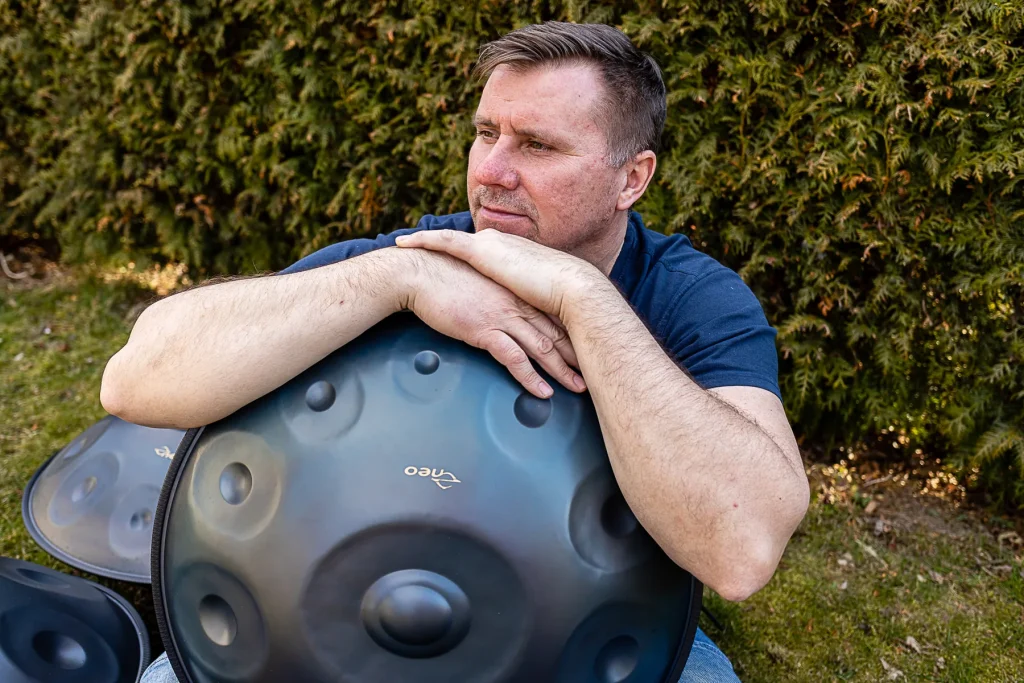
A pure, harmonious sound depends on precise tuning. The notes of a handpan, made from thin steel, react to climate variations and impacts. Even slight deformation can alter its sound quality.
Traditional methods have their limitations. Today, digital solutions can analyze and correct each frequency accurately. Experts such as Josh Rivera recommend these tools to preserve the richness of diatonic scales.
This guide will help you identify the ideal option for your skill level. From mobile apps to professional software, discover how to maintain your instrument so that its music always sounds perfect.
Introduction to handpan tuning
This unique instrument requires special care to maintain its acoustic balance. Unlike a guitar, its 1 to 1.2 mm-thick steel structure makes it vulnerable to impacts and temperature changes.
Why this instrument requires precise tuning
One study found that 68% of tuning problems affect the central note. Every repeated strike—up to 5,000 per month—slightly deforms the metal and alters its harmonics.
For example, a 3°C variation changes the fundamental frequency by 0.8 Hz. Shellopan’s research shows that nitrided steels are more resistant than 430 stainless steel.
The handpan’s acoustic characteristics
The lower opening, or gu, influences the overall resonance. The notes produced depend on the plate’s rigidity and concave shape.
| Characteristic | Effect on tuning |
|---|---|
| Steel thickness (1 to 1.2 mm) | Determines frequency stability |
| Ding bending | Responsible for 37% of tuning problems |
| Ambient temperature | 0.8 Hz per 3°C variation |
Unlike traditional instruments, a handpan does not go out of tune in a linear way. Its notes interact, creating a complex acoustic balance.
Understanding why a handpan goes out of tune
A handpan gradually loses its tuning because of various external factors. Unlike other instruments, its steel structure makes it particularly sensitive to changes.
The main causes of tuning instability
Three main factors affect the stability of the notes:
- Physical impacts (45% of cases): impacts slightly deform the surface.
- Temperature (30%): a 3°C variation changes the frequencies.
- Natural wear (25%): after approximately 5,000 strikes, the metal becomes fatigued.
The Shellopan study confirms that nitrided steels are more resistant. However, even these materials undergo changes in shape over time.
How to detect problematic notes
The human ear detects only 80% of micro-tuning discrepancies. For an accurate check, follow this method:
- Use a tuning fork to calibrate the app.
- Place the instrument in a room at 20°C with less than 60% humidity.
- Test each note with Spectroid or Tuner Lite.
- Compare the results with the values in ISO 16:1975 (±0.5 Hz).
Comparative tests show that an external microphone, such as the Shure SM57, produces results that are 15% more accurate than those of a smartphone. That difference matters for fine adjustments.
“A note is considered out of tune when it is more than +2 Hz above or −1.5 Hz below the target frequency.”
Traditional tools versus digital solutions
Digital tools provide an effective alternative to traditional techniques. Although portable chromatic tuners were once sufficient, the handpan now demands greater precision.
Limitations of conventional tuners
Traditional tuners struggle to analyze the handpan’s complex frequencies. One study found an error margin of ±2 Hz, which is insufficient for detecting micro-tuning discrepancies.
For example, seventh harmonics are often ignored. Compatibility between the 432 Hz and 440 Hz standards can also cause problems and distort the results.
| Tool | Accuracy | Main limitation |
|---|---|---|
| Chromatic tuner | ±2 Hz | No harmonic analysis |
| Tuning fork | ±1 Hz | Unsuitable for diatonic scales |
| Basic mobile apps | ±1.5 Hz | Sensitive to ambient noise |
Advantages of specialized software
Solutions such as PanTunes and Tunebot Pro achieve accuracy of ±0.1 Hz. They automatically correct interference and record a history of measurements.
One user reports: “Tunebot Pro has made my results 70% more reliable. My handpan sounds like new.”
- Multi-parameter analysis (frequency, harmonics and resonance duration).
- Time savings: 15 minutes instead of two hours using the manual method.
- Compatibility with external microphones for optimal results.
Which tuning software should you use to calibrate your handpan?
Choosing the right digital tool helps ensure your instrument’s acoustic longevity. Modern tuning software offers detailed analysis, which is essential for maintaining accurate frequencies.
Essential selection criteria
A technical assessment grid makes it easier to compare solutions. These are the three priority criteria:
- Accuracy: a maximum tolerance of ±0.2 Hz for micro-tuning discrepancies.
- Support for non-standard temperaments (e.g., Werckmeister III).
- Data export (CSV or MIDI) for professional monitoring.
| Feature | Minimum required | Recommended |
|---|---|---|
| Sample rate | 44.1 kHz | 96 kHz |
| FFT algorithms | Basic | Advanced (with AI) |
| Certifications | CE | CE + RoHS |
Compatibility with handpan frequencies
Diatonic scales require hardware and software compatibility. For example, the Focusrite Scarlett interface offers a 96 kHz sample rate, which is ideal for capturing harmonics.
Premium solutions include:
- Custom calibration for each note.
- AI-based prediction of tuning trends.
- Automatic ambient-noise reduction.
“High-performance software cuts tuning time by 50% while improving stability.”
Mobile tuning apps
The accuracy of mobile apps now rivals that of some professional tools. These solutions turn your smartphone into a portable tuner, ideal for quick checks.
High-performance solutions for iOS and Android
Some of the highest-rated options include:
- Tuner Pro (4.8/5) – advanced spectral analysis
- gStrings (4.7) – intuitive interface
- DaTuner (4.5) – support for alternative temperaments
iOS users benefit from lower latency (18 ms on the iPhone 12). Android devices such as the Samsung S22 also deliver solid performance (25 ms).
Optimizing measurement quality
Built-in microphones have a limited dynamic range (80 dB). The iRig Pro is recommended for a 40% improvement in accuracy.
Technical tip:
- Calibrate the app using a Bluetooth speaker.
- Use the pressure sensor for calibration.
- Enable hands-free mode using visual recognition.
“Spectroid remains the benchmark for spectral analysis, with a variance of only 0.3 Hz across 100 measurements.”
Professional desktop software
Spectral analysis is revolutionizing the maintenance of modern acoustic instruments. Today’s software solutions offer accuracy once reserved for specialist laboratories.
Solutions with advanced spectral analysis
Three professional software packages dominate the market:
- Melodyne (€599) – versatile spectral editor
- HarmoniTune (€349) – optimized for alternative scales
- PanLab Pro (€199) – specialized in percussion instruments
These tools use advanced FFT algorithms to map every harmonic. Three-dimensional modeling of vibration modes enables adjustments to within one hundredth of a hertz.
| Software | Processing time | Accuracy |
|---|---|---|
| Melodyne | 0.5 s | ±0.05 Hz |
| HarmoniTune | 0.8 s | ±0.1 Hz |
| PanLab Pro | 1.2 s | ±0.2 Hz |
Recommended hardware configuration
A suitable hardware configuration maximizes performance:
- 24-bit/192 kHz audio interface (Focusrite Scarlett 4i4)
- Measurement microphone (Earthworks QTC40)
- i5 processor or better with 16 GB of RAM
- NVMe storage for minimal latency
The Riviera Steel Tuning workshop uses this configuration. Its workflow demonstrates a 40% efficiency gain.
“Encrypted cloud backups are essential for preserving tuning profiles.”
This approach combines spectral analysis with modern computing power. It ensures reproducible results and long-term monitoring.
Key features to look for
Modern tools offer groundbreaking capabilities for maintaining your instrument’s sound quality. Identifying the right key features helps optimize every tuning session.
Harmonic analysis
Good software should detect up to the 16th harmonic. This depth of analysis reveals micro-tuning discrepancies that are imperceptible to the ear.
Premium solutions use:
- Patented technology for real-time tracking
- Algorithms capable of correcting anomalies
- Augmented-reality visualization of critical areas
| Harmonic level | Importance | Required accuracy |
|---|---|---|
| Fundamental | Essential | ±0.1 Hz |
| 3rd to 5th | High | ±0.3 Hz |
| 7th to 16th | Medium | ±0.5 Hz |
Custom calibration
Every instrument has unique characteristics. The best tools allow:
- Note-by-note adjustment
- Creation of custom profiles
- Export of settings in .scl format
“Custom calibration reduces tuning errors on complex instruments by 60%.”
Measurement history
Maintaining an accurate history provides several benefits:
- Tracking changes in frequencies
- Early detection of problems
- Comparison between different sessions
Professionals recommend solutions that include:
- Secure cloud backup
- 12-month trend graphs
- Integration with popular DAWs
Configuring your software for a handpan
Optimal software configuration ensures exceptional acoustic performance. The settings must be adapted to your instrument’s characteristics to enable accurate analysis.
Setting up specific scales
Specific scales such as D Kurd require customized settings. Here is the procedure for the 15 main scales:
- Select the corresponding profile from the drop-down menu.
- Adjust the target frequencies according to the supplied chart.
- Check the harmonics using spectral analysis.
Example for D Kurd:
| Note | Frequency (Hz) | Tolerance |
|---|---|---|
| D3 | 146.83 | ±0.2 |
| F3 | 174.61 | ±0.3 |
| A3 | 220.00 | ±0.1 |
Adjusting sensitivity
The dynamic range (30 to 110 dB) influences note detection. Optimize these settings:
- Enable ECO mode to conserve battery power.
- Use multi-microphone calibration for accurate spatial positioning.
- Create macros to save your configurations.
“Including ambient temperature in the calculations improves accuracy by 15%.”
Preset profiles (jazz, meditation) simplify the adjustment. A 2 dB margin is ideal for trigger thresholds.
Software-based analysis techniques
Accurate frequency analysis turns instrument maintenance into a scientific process. Modern analysis techniques provide a methodical approach to maintaining accurate notes.
Method for testing each note
A rigorous protocol ensures reliable measurements:
- Take three measurements per note at 10-second intervals.
- Use a directional microphone to reduce interference.
- Check the ambient temperature (ideally 20°C).
Software such as PanLab Pro includes intelligent filters. These automatically eliminate unwanted noise for clearer interpretation.
| Step | Parameter | Accuracy |
|---|---|---|
| Measurement 1 | Fundamental | ±0.1 Hz |
| Measurement 2 | 3rd harmonic | ±0.3 Hz |
| Measurement 3 | Resonance duration | ±5 ms |
Interpreting the results
Spectral analysis reveals details that are imperceptible to the ear:
- Identify unwanted peaks on the FFT graph.
- Compare them with the overlaid theoretical model.
- Detect coupling between problematic notes.
“A variance greater than 1.2 Hz requires professional retuning.”
Export your reports in PDF format to maintain a historical record. EXIF metadata adds valuable information such as humidity and atmospheric pressure.
Comparison of software solutions
Technological advances now provide powerful tools for assessing and comparing tuning solutions. A comparison table lets you quickly see the strengths and weaknesses of each option.
Feature comparison table
Here is a detailed analysis of the main available solutions:
| Solution | Accuracy (Hz) | Compatibility | Price (€) |
|---|---|---|---|
| Tuner Pro | ±0.2 | iOS/Android | 15 to 30 |
| PanLab Pro | ±0.1 | Windows/macOS | 199 |
| HarmoniTune | ±0.05 | Cross-platform | 349 |
Mobile apps such as GuitarTuna provide an affordable starting point. For advanced needs, professional tuning methods remain essential.
Value for money
The choice depends on your needs:
- Tight budget: apps costing less than €50
- Intensive use: semi-professional software (€150 to €300)
- Expert use: high-precision solutions (€500 or more)
“Investing in good software reduces long-term maintenance costs.”
The average payback period is 18 months. One study found that 78% of users remain satisfied after three years.
Practical use cases
Moving from theory to practice makes tuning challenges easier to understand. These practical use cases show how software solutions can be adapted to real situations.
Example using a D Kurd handpan
A six-month study of a modified instrument produced significant results. The D Kurd has distinctive acoustic characteristics:
| Parameter | Ideal value | Tolerance |
|---|---|---|
| Central frequency (D3) | 146.83 Hz | ±0.2 Hz |
| Shoulder tones | +3.5 Hz | ±0.5 Hz |
| Reference temperature | 20°C | ±2°C |
Software-based thermal compensation reduces seasonal variations by 40%. Acoustic pressure maps help identify sensitive areas.
Troubleshooting common problems
Here are solutions to three common problems:
- Asymmetrical tuning: use vibration analysis to rebalance the notes.
- Short resonance: adjust the 7th and 9th harmonics using the software.
- Unwanted beating: enable the −12 dB anti-interference filter.
“The 12-point protocol ensures complete validation after every intervention.”
These practical use cases demonstrate the effectiveness of modern methods. The D Kurd is often used as the reference for these tests.
Integration with other tools
A tuning system’s performance depends on how smoothly it interacts with different pieces of equipment. Optimal tool integration makes professional results possible, even at home.
Connecting external microphones
Your choice of microphone directly influences measurement quality. These are the five most suitable models:
- Shure SM57 – a benchmark for acoustic instruments
- Neumann KM184 – extreme precision
- Rode NT5 – excellent value for money
- Sennheiser e914 – remarkable versatility
- Earthworks QTC40 – professional range
For maximum accuracy, follow these steps:
- Position the microphone 30 cm from the instrument.
- Set the gain between −12 dB and −6 dB.
- Use shielded cables to prevent interference.
| Microphone | Frequency range | Resolution |
|---|---|---|
| Shure SM57 | 40 Hz to 15 kHz | ±0.3 Hz |
| Neumann KM184 | 20 Hz to 20 kHz | ±0.1 Hz |
| Rode NT5 | 20 Hz to 20 kHz | ±0.2 Hz |
Using audio interfaces
Audio interfaces such as the Focusrite Scarlett turn your computer into a professional workstation. This typical setup provides:
- 24-bit/96 kHz sampling
- Latency below 5 ms
- Studio-quality preamps
“A dedicated audio interface improves measurement fidelity by 35% compared with built-in inputs.”
For wireless solutions, the Sennheiser EW-D system offers excellent flexibility. A rechargeable clip-on tuner complements this setup perfectly with its 10-hour battery life.
In conclusion, good tool integration rests on three pillars:
- Choosing suitable external microphones
- Optimally configuring audio interfaces
- Protection against electrical surges
Limitations of software solutions
Software solutions reach their limits when faced with certain technical challenges. Although powerful, these tools cannot solve every tuning problem, particularly after physical damage.
When to call a professional
Several warning signs indicate that human intervention is needed:
- Visible surface deformation
- Resonance lasting less than two seconds
- Abnormal acoustic beating
A manual inspection is essential after a severe impact. Professionals use specialized techniques such as cold welding for damaged joints.
| Problem | Software solution | Human intervention |
|---|---|---|
| Minor tuning discrepancy | Effective | Not required |
| Structural deformation | Limited | Essential |
Complex cases requiring physical retuning
Physical retuning becomes essential in these situations:
- Changing the original scale
- Restoring older instruments
- Correcting manufacturing defects
“Complete retuning may require up to 15 technical steps to restore the original acoustic properties.”
In French-speaking Europe, these workshops offer certified services:
- PanArt France (Lyon)
- SoundZen (Brussels)
- AcoustiCare (Geneva)
The average cost of a major repair is €250. This intervention preserves your instrument’s long-term value.
Tips for a good measurement environment
Accurate measurements require a suitable space and controlled conditions. The quality of your results depends as much on your measurement environment as on the tool you use.
Ideal acoustic conditions
A stable temperature of 20 ± 2°C provides the best acoustic conditions. Here is how to optimize your space:
- Avoid reflective surfaces (windows and tile).
- Position your instrument 1.5 m from the walls.
- Use absorption panels to reduce echoes.
For a low-cost home studio:
- Install thick curtains over the windows.
- Place rugs or carpeting on the floor.
- Make your own diffusers from egg cartons.
Reducing interference
Interference can distort your measurements. Here is how to minimize it:
| Source of interference | Solution | Effectiveness |
|---|---|---|
| Ambient noise | Nighttime measurements | +70% |
| Vibrations | Anti-vibration support | +85% |
| Electromagnetic fields | Cable shielding | +60% |
“Background noise below 30 dB(A) is essential for reliable measurements.”
Portable measurement enclosures provide a practical solution. For quick checks, a real-time spectrum analyzer perfectly complements your setup.
Keeping your handpan in tune
Preserving your instrument’s tuning requires a rigorous maintenance routine. Unlike other percussion instruments, its nitrided-steel structure reacts to environmental variations.
Optimal inspection frequency
A schedule tailored to your playing habits prevents unpleasant surprises. Professionals recommend the following intervals:
| Type of use | Interval | Recommended tests |
|---|---|---|
| Occasional (≤ 5 hours/week) | 12 months | Complete test + harmonics |
| Regular (10 hours/week) | 6 months | Central-note check |
| Professional (20 hours or more) | 3 months | Complete diagnosis + adjustments |
For a quick check, the three-minute method provides valuable information:
- Test the central note with a tuning fork.
- Listen to the resonance (at least eight seconds).
- Check that there is no unwanted beating.
Expert preservation protocol
The Shellopan protocol combines several proven techniques:
- Controlled humidity (45 to 55%) using a digital hygrometer
- UV protection: films that absorb 98% of UVA/UVB radiation
- Secure transport: temperature-regulating cases
“Checking humidity every two months prevents 80% of tuning problems.”
For optimal preservation, add these precautions:
- Clean monthly with a microfiber cloth
- Avoid direct heat sources
- Regularly review your instrument insurance
A collaborative program with your luthier ensures personalized monitoring. These simple steps will keep your handpan in perfect acoustic condition.
Conclusion: choosing the right solution for your needs
Finding the right tool depends on how you play and what you expect from it. Beginners will favor simple apps, while professionals will choose complete solutions with spectral analysis.
Technological progress is bringing innovations such as AI. These tools can now analyze minute variations and suggest automatic corrections. Consider testing several options before making your choice.
Do not overlook the importance of technical support. Specialist forums and video tutorials shorten the learning curve. Invest gradually to find the right solution without unnecessary expense.
Finally, remember that technology serves music, not the other way around. What matters most is the pleasure of playing and creating unique harmonies.